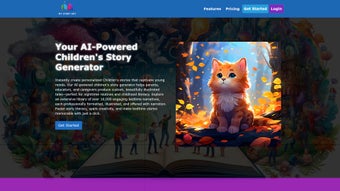

Download MyStoryBot – AI Storytelling Made Easy
Overview: AI‑Powered Storytelling for Everyone
MyStoryBot is a cutting‑edge web application that transforms the art of storytelling into an effortless, interactive experience. By leveraging advanced generative AI, the platform enables users to craft personalized storybooks in minutes, complete with vivid illustrations that match the narrative tone. Whether you are a parent looking to create bedtime tales, an educator seeking engaging classroom material, or a budding writer exploring new ideas, MyStoryBot provides a user‑friendly interface that encourages creativity without demanding any technical expertise.
The subscription‑based model unlocks a library of AI‑driven templates, a powerful illustration engine, and the ability to export finished books in multiple formats for printing or digital sharing. While the service is generally stable, occasional glitches may cause the application to become unresponsive, requiring a simple browser refresh. This minor inconvenience is outweighed by the platform’s ability to blend AI technology with the timeless craft of storytelling, making it a valuable resource for anyone who wants to unleash their imagination.
Key Features That Power Your Creative Journey
- AI‑Generated Narratives: Input a theme, characters, or a simple prompt and watch MyStoryBot generate a fully‑formed story with coherent plot arcs and engaging dialogue.
- Dynamic Illustrations: The built‑in illustration engine creates custom artwork that matches each scene, offering a visual experience comparable to professional children’s books.
- Template Library: Access a curated collection of story structures—fairy tales, adventure quests, educational chapters—tailored for different age groups and genres.
- Multi‑Format Export: Save your storybook as PDF, EPUB, or high‑resolution image files, ready for printing, e‑reading, or sharing on social platforms.
- Collaborative Workspace: Invite friends, family, or classmates to co‑author stories in real time, fostering teamwork and shared creativity.
- Voice‑Over Narration: Turn your text into an audio story with natural‑sounding AI voices, perfect for audiobooks or classroom listening sessions.
- Secure Cloud Storage: All projects are saved securely in the cloud, ensuring you never lose your work and can access it from any device.
Pros
- Fast generation of complete storylines reduces writer’s block.
- High‑quality, context‑aware illustrations add visual appeal.
- Intuitive drag‑and‑drop interface suitable for all ages.
- Export options give flexibility for publishing or personal use.
- Collaborative tools encourage group creativity and learning.
Cons
- Occasional unresponsiveness may require a page reload.
- Full feature set is locked behind a subscription.
- Illustration style is limited to the AI’s predefined palettes.
Installation, Usage, and Compatibility Guide
MyStoryBot operates entirely as a web‑based service, which means there is no traditional software download or installation process. To get started, follow these simple steps:
- Visit the Official Site: Navigate to www.mystorybot.com using any modern browser (Chrome, Firefox, Safari, Edge).
- Create an Account: Register with an email address or use a single‑sign‑on option such as Google or Apple ID. A free trial period is often available for new users.
- Select a Subscription Plan: Choose between monthly or annual plans to unlock premium features like unlimited story generation and high‑resolution exports.
- Start a New Project: Click “Create Story,” choose a template or start from scratch, and input your initial prompt.
- Refine and Illustrate: Use the sidebar tools to edit text, adjust character traits, and request new illustrations for specific scenes.
- Export or Share: When satisfied, export the book in your desired format or share a live link with friends and family.
Compatibility: Because MyStoryBot runs in a browser, it is compatible with all major operating systems, including Windows 10/11, macOS, Linux, as well as mobile platforms such as Android and iOS. The application requires an internet connection and a browser that supports WebGL for rendering illustrations. For the best experience, ensure your browser is updated to the latest version and that JavaScript is enabled.
Technical support is available via live chat and an extensive knowledge base, which includes troubleshooting steps for common issues like the occasional “application not responding” message. A simple page refresh or clearing the browser cache typically resolves the problem, after which users can continue their creative session without data loss thanks to automatic cloud saving.
Conclusion, Frequently Asked Questions, and Call‑to‑Action
MyStoryBot successfully bridges the gap between AI technology and the timeless joy of storytelling. Its robust feature set, intuitive design, and cross‑platform compatibility make it a compelling tool for educators, parents, and aspiring writers alike. While occasional glitches can interrupt a session, the platform’s automatic cloud backup and responsive support team mitigate the impact, ensuring that creativity remains uninterrupted. By offering both free trial access and flexible subscription options, MyStoryBot invites users of all skill levels to explore the limitless possibilities of AI‑enhanced narrative creation.
FAQ – Your MyStoryBot Questions Answered
Can I use MyStoryBot on a mobile device?
Yes. MyStoryBot is fully responsive and works on Android and iOS browsers, allowing you to create and edit stories on tablets or smartphones.
Is there a free version available?
A limited free trial is offered to new users, providing access to basic templates and a restricted number of story generations before a subscription is required.
How are my stories stored and protected?
All projects are saved to encrypted cloud servers with regular backups, ensuring privacy and data integrity.
Can I export my storybook for print?
Yes. MyStoryBot supports high‑resolution PDF export, which is ideal for professional printing or personal photo‑book creation.
What should I do if the app becomes unresponsive?
First, try refreshing the browser page. Because your work is automatically saved in the cloud, you can safely reload without losing progress. If the issue persists, clear your cache or contact support.
Ready to bring your imagination to life? Start your free trial today and discover how MyStoryBot can turn simple ideas into beautifully illustrated storybooks. Embrace the future of storytelling—download, create, and share with confidence.



.png)



